Speed up your web browsing with Vimium's keyboard shortcuts


Here's a little secret: I can't stand taking my hands off the keyboard. Mice and trackpads are great tools, but they aren't always an ideal (or speedy) solution for navigating the Web.
That's where keyboard shortcuts come in. Of course, memorizing a list of keyboard commands can be just as painful as repeatedly shifting your hands from your keyboard to your mouse and back again. So what's a smart PC user to do? My suggestion: Use a small number of keyboard shortcuts and only those that make life easier.
Two useful keyboard shortcuts can be yours courtesy of Vimium, a browser extension for Chrome that lets you control most of your web browsing from the keyboard. Vimium was inspired by 'vi,' an arcane text editor created at a time when the mouse didn't exist and the only way to navigate a document was with your keyboard.

Getting started

The first thing you'll need to do is download and install Vimium from the Chrome Web Store. (A non-official copycat add-on is also available in Firefox's add-on repository.) Once you're all set, open CNN.com or any other website and check out the following shortcuts:
Type capital G and you jump directly to the bottom of a webpage. Then type lowercase gg and you jump right back to the top.
That's it.
There are a ton of other shortcuts you can use in Vimium for tasks like switching between tabs and opening links. But for all of Vimium's utility, I find it most useful to be able to quickly jump to the top and bottom of a page when I'm doing research.
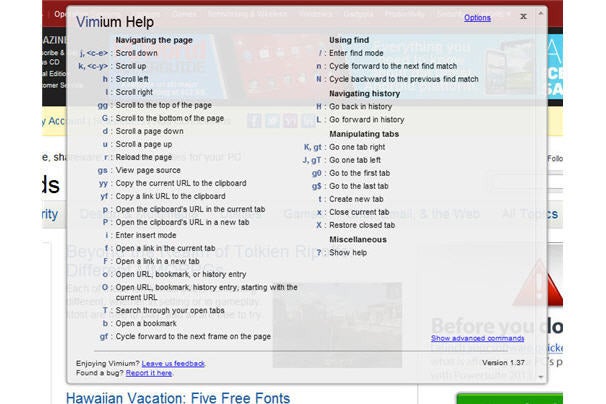
vimium keyboard shortcuts
Vimium actually offers a wealth of keyboard shortcuts for mouse-free web browsing. (Click to enlarge.)
The only problem is Vimium doesn't work everywhere, since some websites have their own shortcuts or simply don't play well with Vimium. Google properties are the worst offenders, including Gmail, the Chrome Web Store, and Chrome's new tab page. The majority of websites, however, will work with Vimium, including Facebook and Twitter.
Once you've got G and gg down, try expanding your Vimium chops with other shortcuts. For a complete list of navigation commands, type ? on any site where Vimium works, or check out PCWorld's Windows 8 tips and tricks guide for a big list of standard keyboard shortcuts that work inside and outside of the browser.

12 comments:

How to set up a document scanning system


As New Year’s resolutions go, “going paperless” is a perennial Top 10 contender, somewhere between “lose weight” and “save money.” But if you’ve ever resolved to digitize your documents before, you've learned that talking about it is one thing. Actually doing it is a tricky proposition. If you’re like most people, you’re already comfortable with managing your incoming digital data; it’s the lingering paper that’s the problem. To be honest, you’ll probably never stop every last piece of paper from crossing your desk, so scanning it is essential.
Scanning can be a complex process that requires solid hardware, plenty of storage (either offline or online), and no small amount of personal dedication. Here’s how to streamline all of this and make scanning as painless as possible.

Select the right hardware

You’ll quickly be lamenting another failed resolution if your hardware isn’t up to the task. The good news is that most printer manufacturers now produce capable all-in-one devices that will give you quality scanning in the same chassis as a color printer, copier, and fax machine, often for $200 or less.
Reviewing scanners is outside the scope of this story, but PCWorld has fortunately done that heavy lifting for you. Be sure, as you page through the reviews, that you consider only devices that include a sheet feeder and a duplexer. The best intentions to reduce paper have been torpedoed by having to place originals on a flatbed scanner one at a time or dealing with discombobulated scans with their pages out of order.
Scanning speed should be another prime consideration, as scanning is an activity you won’t exactly want to linger over. The more people who’ll be using your scanner, the faster and more feature-filled you’ll want it to be. Our top-rated Lexmark OfficeEdge Pro5500 can scan up to 10 single-sided color pages per minute, while Samsung’s pricier (and larger) CLX-6260FW is rated for 20 pages per minute. If you only anticipate having to scan a dozen or so pages per session, speed won’t be a big deal. But when those pages start to surpass 50 or 60, the time savings offered by a faster scanner can really add up.
lexmark 5500
Scan up to 10 single-sided color pages per minute with the Lexmark OfficeEdge Pro5500. 
Another option is a scanning appliance like Neat’s NeatDesk or Fujitsu’s ScanSnap, which are standalone scanners (not printers) designed to turn scanning into a simple, painless task by taking the hassle out of the process and integrating cloud services (more on this later) closely with the hardware. If you don’t mind having an extra piece of equipment on your desk (since you’ll likely still need a printer), they’re capable solutions. Mobile solutions like the Brother ImageCenter ADS-1500W are also available for users on the go.
ads 1500w frontsample
Mobile printers like the Brother ImageCenter ADS-1500W bring the functionality of their desktop counterparts in a portable package.

Scanning software

The good news: Scanning has become integrated into a vast number of software programs and mobile apps in addition to the options offered by hardware devices directly. The bad news: That gives you, the user, perhaps too many options to choose from.
You can scan directly from the operating system—both Mac OS and various Windows versions support it—as well as through apps like Word and Acrobat. Mobile devices now offer a plethora of scanning apps, too—many let you use your phone’s camera in lieu of a separate device—though for document archival purposes, you’ll probably want to stick with a legit scanner that offers better quality.
Which method you choose is largely irrelevant, but most users will likely find the software included with their scanner the simplest and most straightforward option. The key consideration to ask is what the program does with the scanned documents. If you plan on archiving them on your own PC, you’ll want a system that can easily place them in a folder that you specify. If you plan on archiving them online, you’ll want one that works well with your cloud service of choice.

Taking it to the cloud

The most critical advancement in the world of scanning in recent years has been the integration of the cloud with scanning software and hardware. Now, instead of having to find and manage local storage for all your scanned documents and then deal with online archives, you can send scans to your online storage system of choice straight from the scanner.
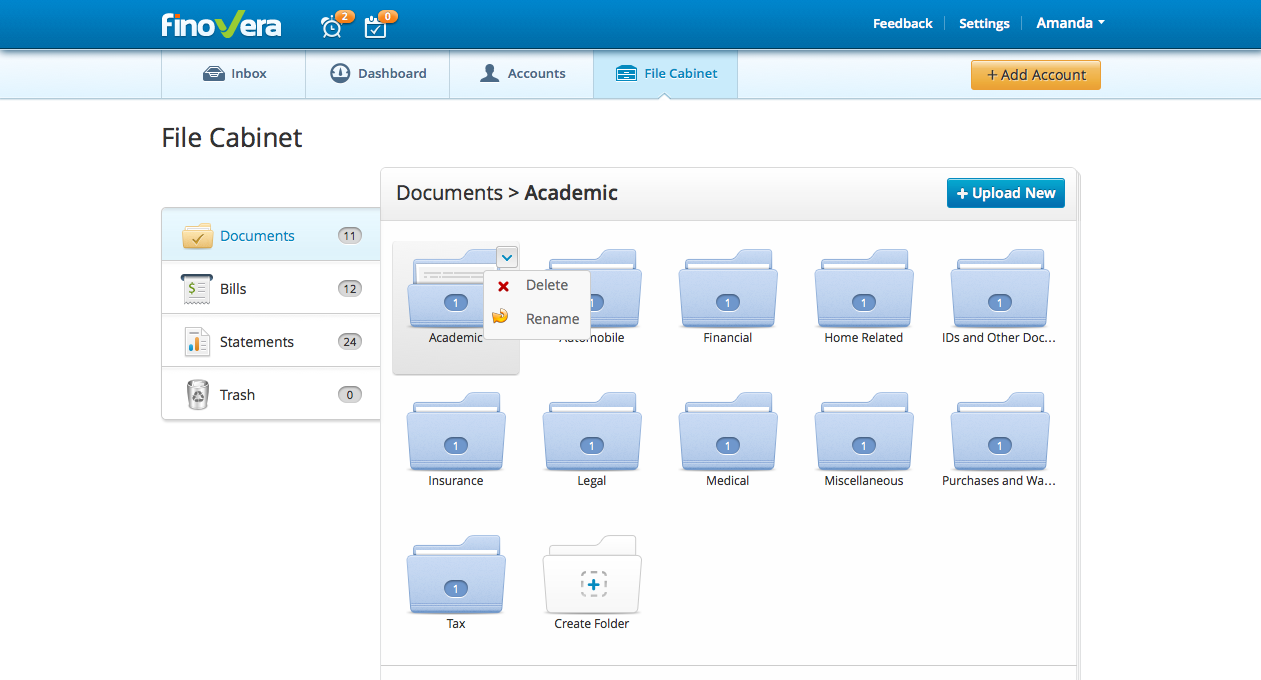
finovera
Finovera will download financial statements directly to your cloud account and also includes document scanning as a feature.
The examples are too numerous to fully outline. For example, the Fujitsu ScanSnap can send documents to SugarSync, Evernote, Google Drive, and other online locations, while Epson’s “Scan to Cloud”-capable scanners can save directly to Box, Dropbox, Evernote, and Google Drive. You’ll need to spend some time configuring things, but once set up you’ll find you can cut out the middleman effort of manually copying files to the cloud for backup.
Other similar services are focused exclusively on cloud storage and include document scanning as a feature. Check out SimpleScan and Finovera, which are designed to wean you from reliance on local storage altogether by putting everything online, though some may have some initial concern over trusting their entire financial lives to a cloud service.

Tagging and archiving

Now for the bad news: No matter where you store your files—online or off—you’ll need to do at least some work to manage them. Just because you’re scanning stuff doesn’t mean it’s going to be easy to find later. As lawyer Tom Flores notes, “The only thing worse than watching an attorney looking for a document in a banker’s box of paper is watching an attorney try to flip through documents on a tablet.”
Think about the files as you scan them by tagging them appropriately and archiving them in the proper place. Scanned files should have an appropriate name and be filed in an appropriately tagged folder. (Apps like Evernote are designed to make this kind of organization easy for you, so take advantage of it.) As well, you should use OCR whenever possible to ensure the contents of each file are archived and searchable, dramatically increasing the value of your scans.

Workflow management

Lastly, scanning does involve some physical and mental effort on your part. This kind of menial exertion is hardly at the top of any busy professional’s to-do list, but it’s important that scans be completed regularly in order to ensure your scanning system retains its value.
In the best case, all paper would be immediately scanning and recycled as soon as it hits your desk, but that’s probably overly optimistic. Depending on the specifics of your work and the volume of the paper you receive, scanning work can safely be done on a once-or-twice-a-week schedule, provided you stick with it and don’t let the “in” box stack get too high. Scanning needs to become a habit... and you can use your off days to sign up for electronic statements, unsubscribe from non-essential mailings, and talk to clients about your preference for electronic communications.

0 comments:

Researchers discover vulnerability in Samsung's Knox BYOD software


A security vulnerability within the Knox software used by the Samsung Galaxy S4 and the Note 3 could allow a malicious app to “listen in” on data transferred within the secured environment, researchers warned.
The vulnerability was reported Tuesday by The Wall Street Journal, based on a report by Israel’s Ben-Gurion University of the Negev. Samsung officials told the Journal that the vulnerability was found in developer phones that weren’t “fully loaded with the extra software that a corporate client would use in conjunction with Knox,” the paper reported. So far, the Knox vulnerability has only been discovered on the Galaxy S4.
Like third-party apps such as NitroDesk’s TouchDown HD, Knox was developed with an eye for the so-called “BYOD” movement, where personal smartphones and other devices are allowed onto corporate networks. The problem is that those same corporate network administrators want to ensure that sensitive corporate data—which can include email, contacts, and calendar information—doesn’t wander outside the corporate firewall, intentionally or not. 
Samsung’s Knox creates an encrypted, virtualized space within the smartphone, so that apps such as email, phone, contacts, and others can be loaded securely. Data can be prevented, by policy, by being moved outside of Knox.
Samsung Galaxy S4 Mini
The Samsung Galaxy S4
The problem that BYOD introduced was that businesses that use Microsoft Exchange to manage email can typically request a lost or stolen phone be remotely “wiped,” or cleansed of all data; the same holds true for an employee that leaves the company. Without the secure container, the entire phone would be erased—including the employee’s music, personal contacts, phones, and other data. Knox, which is specific to Samsung, restricts the wipe to the corporate data alone, preserving what belongs to the employee.
The vulnerability that the researchers found allowed corporate data to leak through the Know secure container, the researchers reported. They also suggested that code could be injected from outside the container, into it, and run wild on the corporate network. 
Separating corporate data from personal data has been one of the selling points of the BlackBerry 10 OS. Per-app VPN technology has also been built into Apple’s iOS 7, which has its own secure workspace apps, including Divide (which is also available for Android, at $5 per user per month). TouchDown for Android costs a flat fee of $20.

0 comments:

11 must-have apps for your new Android phone

Price: Free

AirDroid

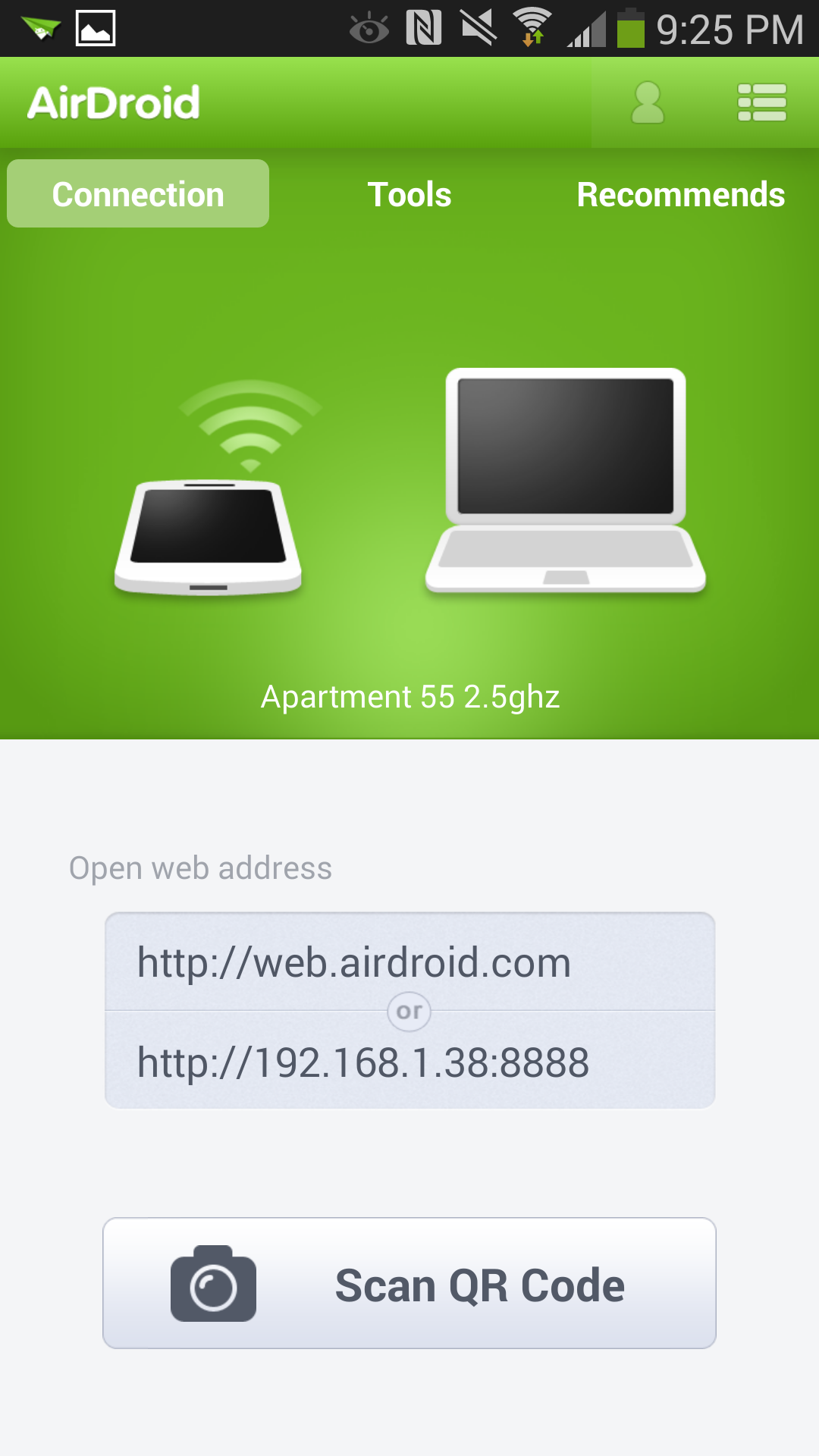
airdroid android
You don’t have to use a cable to transfer media from your computer to your phone, or even dig your phone out of your bag to send text messages. Instead, you can use AirDroid to control your smartphone from your computer’s Web browser.
AirDroid lets you easily move things on and off your device. You can send a text message from your desktop, peruse call logs, and drag-and-drop pictures, music, and ringtones. There’s even the ability to locate and lock your Android phone should you lose it, though this feature is already natively built-in to most devices with Android 4.2.2 and up via the Android Device Manager. If you’re feeling silly, you can even set up your Android phone as a spy camera with the Camera mode.
Price: Free

Astro File Manager

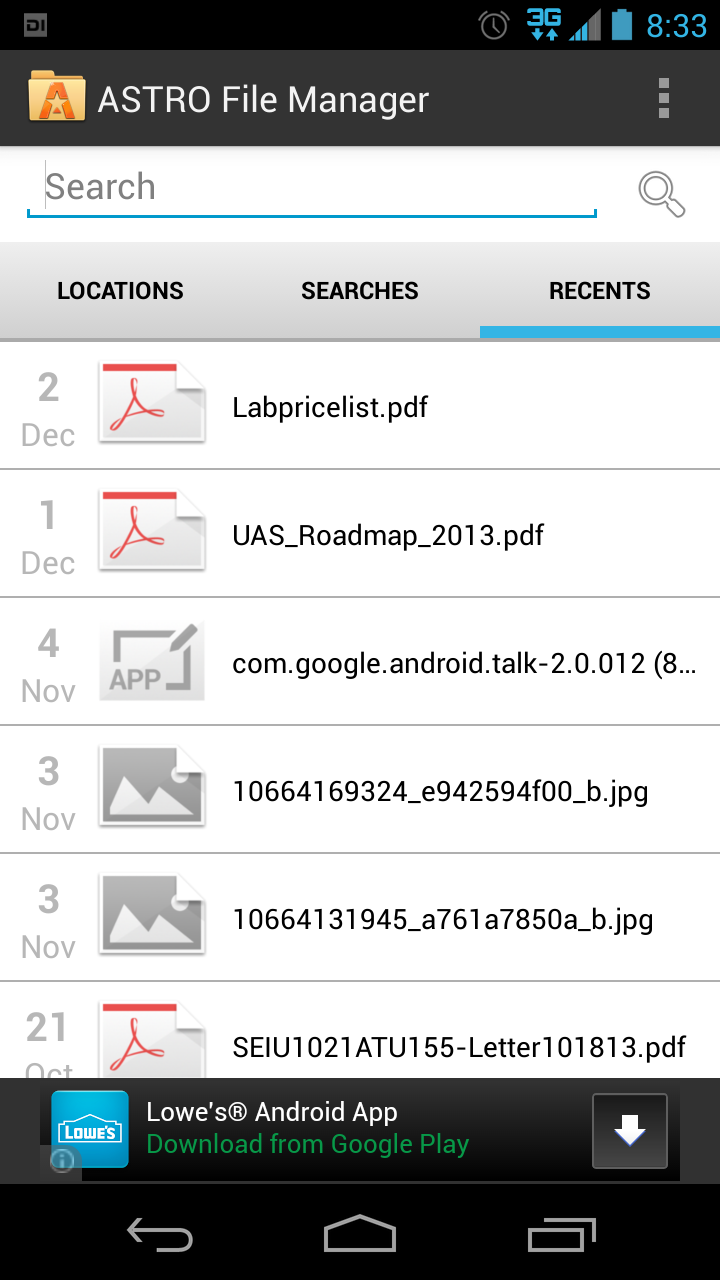
astrofilemanager android
Navigating the files on your Android devices can be a bit of a pain. Although AirDroid can help facilitate getting those files on and off of the device, sometimes finding files and media on your phone can be a chore.
With Astro File Manager, you can organize, view, and find almost any file contained on your Android device. You can also use the app to browse through various cloud-based accounts, including Dropbox, Google Drive, Box, and SkyDrive, and even move files between them. The app works with your SD card (if your phone has one) and can open almost any archived ZIP files and email attachments too. The paid version removes ads. 
Price: Free, or $4

Google Voice

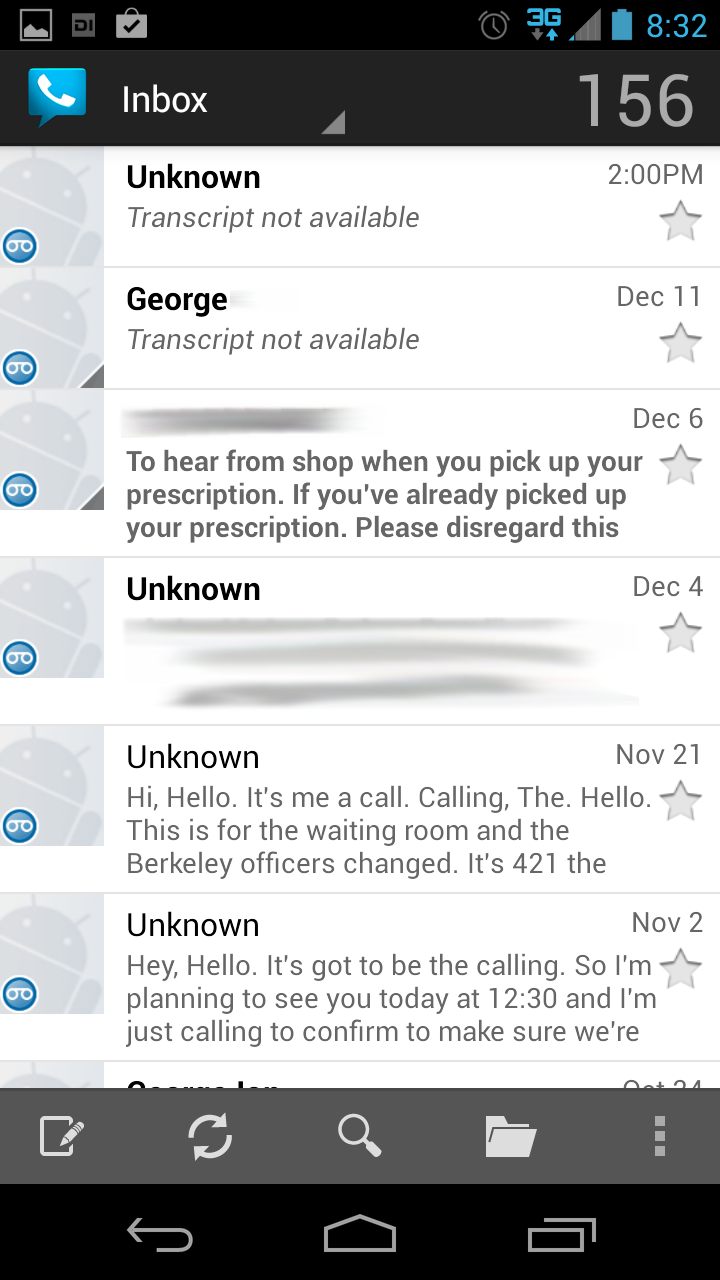
googlevoice android
We’ve said it before and we’ll say it again: anyone with an Android device should have a Google Voice number, at least as backup. The service is mostly free, though limited in some of its offerings—there’s no way to send photos through text messages, for instance—but it makes up for it in things it can do.
Google Voice assigns you a phone number, in addition to the one already associated with your phone through your carrier, so that you can send free texts, make cheap phone calls to your friends and family overseas, or even use it as the default voicemail system to take full advantage of its transcription abilities.
Price: Free

Google Keyboard

googlekeyboard android
Unless your phone is emblazoned with the word “Nexus,” it’s likely you’re dealing with a seriously skinned version of Android—and a virtual keyboard that’s forced on you by the manufacturer. If you just can’t stand it, try on the official Google Keyboard for size.
Google Keyboard is the default keyboard application that Google supplies in stock version of Android. It’s mostly bare-bones, though it features gesture typing, voice typing, and dictionaries for 26 languages. There’s even emoji support, though only in Android 4.4 KitKat. Alternatively, if you’re looking for keyboard apps that are a little more feature filled, we’ve got a list of those for you, too.
Price: Free

VSCO Cam

vscocam android
You’re not sure if your phone came with enough vintage photo filters, you say? Luckily for you, iOS favorite VSCO Cam just recently hit the Google Play store.
The free application features the usual arsenal of photo-editing tools, but you’ll mostly get a kick out of its faux-realist vintage filters. You can choose the strength of each individual filter and then tweak it further even after you’ve applied it. Want to make the photo look even more weathered? Add a fade or drop the color saturation just a little bit. Once you’re finished, you can share the photo across different social networks, like Google+, Instagram, Facebook, Twitter, and even VSCO’s own VSCO Grid photo-sharing network.
Price: Free

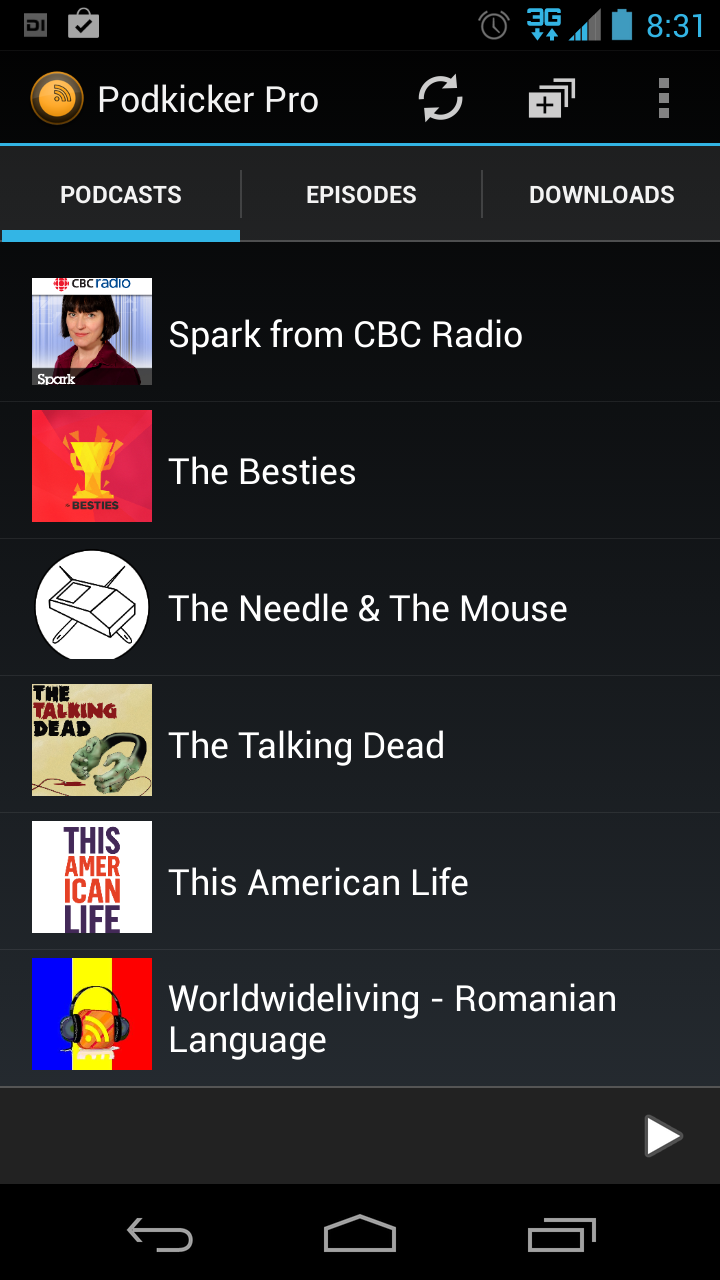
Podkicker

podkickerpro android
There is no need for a bloated, busy podcast app, which is why Podkicker is so highly recommended. You can download podcasts for offline listening and then delete them after you’re finished, or engage car mode so that you’re not distracted trying to navigate the menus to get to the episode you want to play. The paid version gets you even more features and removes all advertisements.
Then go subscribe to Clockwise, our very own tech podcast.
Price: Free or $3

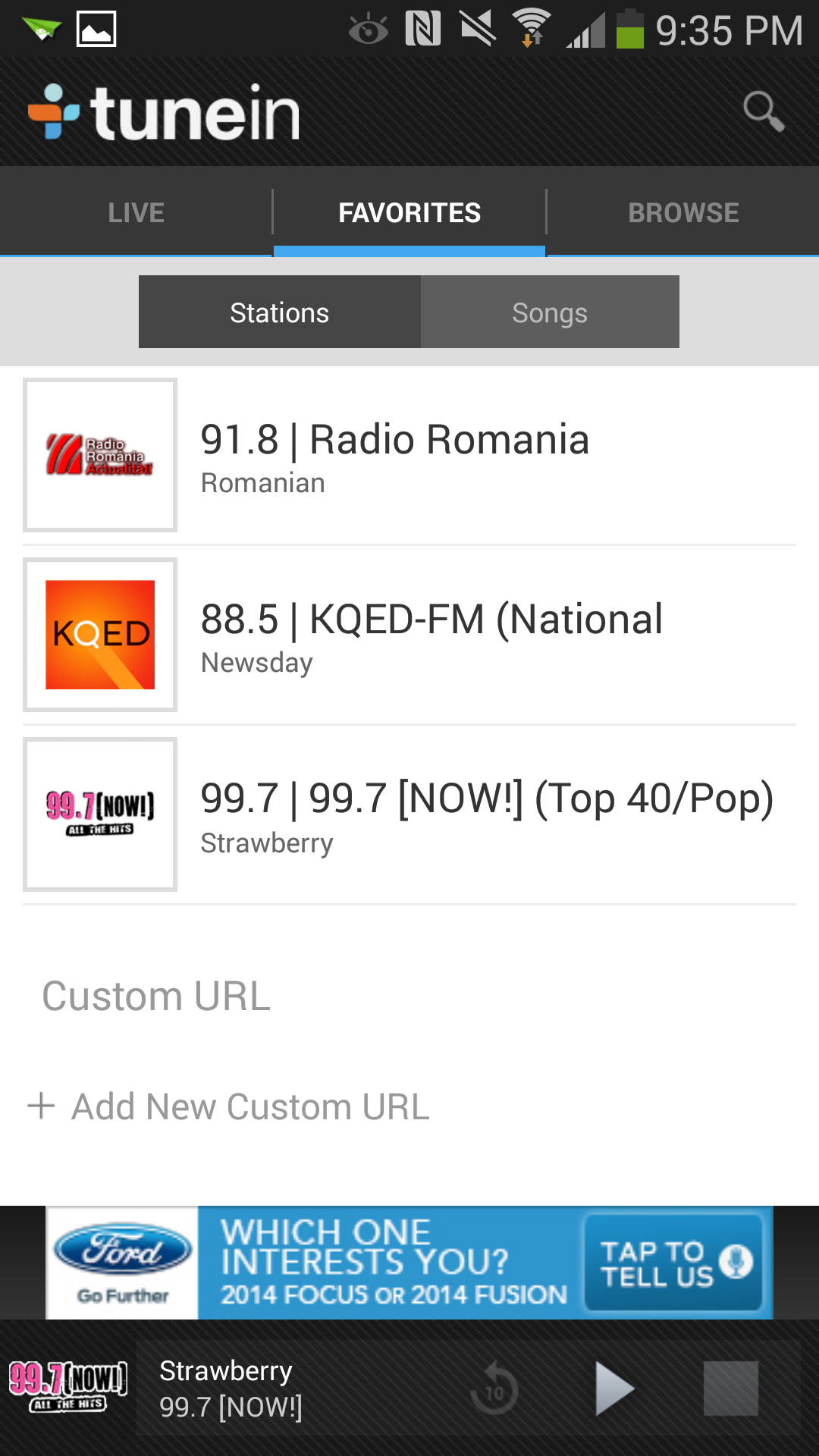
TuneIn Radio

TuneIn_Android
Whether you like to listen to a broadcast of your favorite team up to bat, or you just miss some of the radio stations from back home, TuneIn offers free access to more than 10,000 radio stations from around the world. If you’re a fan of live radio shows, you can send yourself a reminder to “tune in” when it’s on. Or if you miss the days of clock radios, you can even set your phone to wake you up to the radio. The paid version lets you record live radio shows and play them back later.
Price: Free, or $7

Yelp

yelp android
Looking for a place to get a bite to eat? Or perhaps you’re in the mood for some roller disco? Whatever you’re hungering for, Yelp is the de facto service for checking out crowd-sourced reviews. Can’t decide what you want to do at all? Just hit the Nearby button to see what’s in the area. The best part of Yelp on your mobile phone is that it provides an easy-access button to get directions to where you’re going.
Price: Free


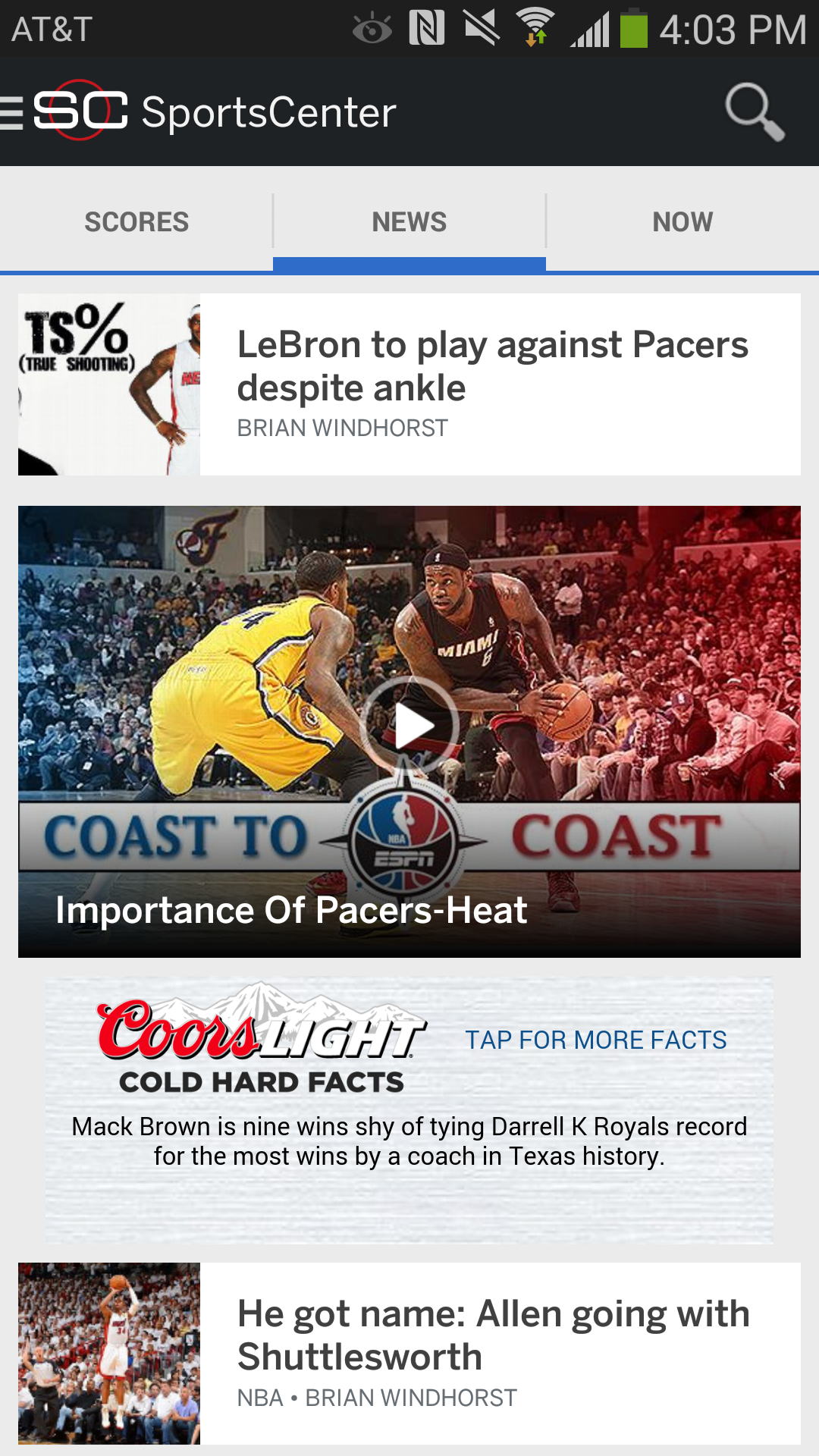
ESPN SportsCenter

sportscenter android
Hey, sports buff. You don’t have to lose track of your team just because they’re not in season. ESPN SportsCenter can keep you connected with personalized news for your favorite teams, live scores, video highlights, and personalized alerts. And if you couldn’t make it to the game, you can even follow along with the buzz on Twitter.
Price: Free

Pocket

pocket android
The Web is a treasure trove of awesome content (hey, you’re reading some right now!), but it’s impossible to read every interesting thing you find the moment you find it. With a free Pocket account, you can save articles, videos, and pictures from any of your computers' web browsers to the cloud. Then pull them up on your Android phone later when you’ve got some time to read.
Price: Free

0 comments:

Samsung Galaxy Grand 2, on Sale From Jan 2014 in India

The Galaxy Grand 2 Phablet, will be on sale in India from January 2014. It is rumoured to be priced between Rs 22,900 and Rs 24, 900. Currently, the device can only be pre-ordered from e-stores. The Device was globally unveiled in November, 2013 and will be available in Black, Pink and White colour variants in select regions.
This smartphone from Samsung, packs together a  a 5.25-inch (1280 x 720 Pixels) capacitive touch screen display, powered by a 1.2 GHz quad-core processor and runs on Android 4.3 (Jelly Bean). It comes with an 8-megapixel autofocus rear camera accompanied by an LED flash and a 1.9-megapixel front-facing camera.
Galaxy Grand 2 might include certain pre-loaded apps like Story Album, which can organize pictures through a timeline, S Translator which is the company's proprietary translation service, the S Travel which offers guides and travel details and the Samsung Hub, the company's own content service that offers access to music, videos and games.
The Galaxy Grand 2 by Samsung is a dual-SIM device with support for GSM+GSM.  It has 8GB inbuilt storage, which can be expanded up to 64GB through microSD card.
Certain other Specs of Galaxy Grand 2:
  • 2600 mAh battery
  • Android 4.3 (Jelly Bean) OS
  • 16:9 aspect ratio
  • 1.2 GHz quad-core processor
  • 8.9 mm thick and weighs 163 grams
  • 8MP Auto Focus Camera with LED Flash, 1080p video recording
  • 2MP front-facing camera
  • 3.5mm audio jack
  • 3G, Wi-Fi 802.11 a/b/g/n, Bluetooth v 4.0, GPS/GLONASS

0 comments:

After security, Arvind Kejriwal says no to CM bungalow

NEW DELHI: Arvind Kejriwal, who will be Delhi's new chief minister, has turned down a government bungalow that comes with his new role.

Kejriwal formally rejected the official accommodation - one of the biggest perks of a government post - when Delhi chief secretary came to him with the offer on Tuesday morning.

The chief secretary of Delhi has reportedly met Kejriwal, to finalize arrangements for the swearing-in ceremony as well as the names of the members of the state cabinet.

Kejriwal has also appointed IAS officer Rajendra Kumar as his principal secretary.

Meanwhile, Pranab Mukherjee has cleared the decks for the appointment of Arvind Kejriwal as the 7th chief minister of Delhi.

According to television reports, President Pranab Mukherjee has forwarded the letter of appointment to a joint secretary level officer of ministry of home affairs.

The Aam Aadmi Party on Monday had staked claim to form the government in the national capital, and are meeting on Tuesday to finalize the Cabinet.

Kejriwal on Monday refused the high security cover provided by Delhi Police, saying "God is his biggest security.

In his letter to Delhi Police, Kejriwal said "Thank you for offering me security. But as I have already informed earlier, I don't need any security, I don't need any escort or PSO. God is my biggest security."

0 comments:

Top 10 predictions for the mobile market in 2014

T-Mobile CEO John Legere.
(Credit: T-Mobile) This past year was a busy one for the mobile market. And next year will likely be just as intense.
Wireless operators were busy wheeling and dealing to get more wireless spectrum. And they were busy upgrading their networks to 4G LTE service, truly making 2013 the breakout year for faster wireless service.
There was also a lot of deal activity among handset makers, as smaller players struggled to find ways to compete against the two dominant players, Apple and Samsung. What's expected to happen in 2014? I took out my crystal ball and put together this list of my top 10 predictions based on recent trends and conversations with sources. Take a look and let me know what you think.
Wireless bargain hunters rejoice, carriers are finally listening
If you're in the market for a better value for your wireless plan, 2014 should be a good year for you. AT&T recently announced a new Mobile Share plan that offers an incentive to customers who use an older phone or bring their own unlocked device to the network. It's a plan similar to one that T-Mobile started offering in March.
Under the AT&T plan, consumers can save $15 a month on every smartphone connected to their plan if they don't take a device subsidy and sign a two-year contract. This plan and T-Mobile's plan, which also offers a discount on monthly service if you already own your phone, is a positive step for consumers and shows that some major operators will be aggressively fighting for consumers looking for a better value on their wireless plans.
AT&T's CEO Randall Stephenson said the company will be addressing the value segment of the market more. There are two reasons for this. One is that more people have smartphones, and the other reason is that 4G LTE networks offer more capacity at a lower cost. This makes it not only necessary but feasible for AT&T and other carriers to go after a market focused more on value.
While I don't expect carriers like AT&T to slash pricing across the board, I do think there will be more pricing options available, which will result in better value for some wireless customers.
It may take Verizon Wireless a bit longer to respond to the value play, given that the company has a long history of charging a premium for its service due to its reputation for having the most reliable network in the market. But recent capacity constraints in key markets have marred Verizon's unblemished reputation. And if the carrier continues to struggle under the weight of increased traffic demand, it could be drawn into the value game as well.
My advice for bargain hunters in 2014 is to stay tuned for more service plan shake-ups. And keep your calculators close at hand to see which ones really offer the best value.
Wireless operators lobby hard in Washington
New Federal Communications Commission Chairman Tom Wheeler has taken office and one of his first orders of business was to delay the upcoming incentive spectrum auction.
Tom Wheeler, the new chairman of the FCC.
(Credit: Saul Loeb/AFP/Getty Images)
The auction, which will let TV broadcasters give up spectrum for a cut of the auction proceeds, is one of the most complicated the FCC has ever designed. Wheeler said that it was critical for the government to get this right, so he pushed back the auction a year to give the agency more time to prepare. But even with the auction still more than a year away, wireless operators are already ramping up their lobbying efforts.
While the much needed low-band spectrum from the broadcast incentive auction is still more than a year off, the FCC is preparing two other wireless auctions for 2014. The first is the H-block auction, which has only one significant bidder, satellite TV provider Dish Network. The next auction of the so-called AWS-3 band of spectrum is expected to get a lot more attention. This spectrum auction is set for September 2014. It's expected to create a lot of buzz, so stay tuned.
Carrier consolidation continues
The past couple of years have already been filled with a lot of M&A activity among wireless carriers. The trend is expected to continue in 2014.
In 2013, AT&T bought beleaguered prepaid provider Leap Wireless. T-Mobile bought MetroPCS. Japan's Softbank completed its purchase of Sprint. And Sprint bought out its remaining stake in Clearwire. With so much activity in 2013, it seems like there couldn't possibly be anymore deals to be made.
But think again. There are already rumblings that Sprint is putting together a deal to buy T-Mobile, which isn't a huge surprise given that T-Mobile's parent Deutsche Telekom has not been shy about its desire to exit the US market. But it's unclear at this point whether federal regulators would approve such a deal. It could be hard given that both the Department of Justice and the Federal Communications Commission have been pleased with T-Mobile's recovery in 2013 following its failed merger with AT&T in 2011.
But other deals may also be in the works. Satellite TV provider Dish Network is chomping at the bit to buy...somebody. Last year, the company attempted and failed to buy Sprint and Clearwire. Dish's founder, Charlie Ergen, has also been gunning for wireless assets from the bankrupt carrier LightSquared. And Dish is expected to be the sole nationwide bidder on wireless spectrum in the H block auction in January. Dish has been stockpiling wireless spectrum for the past couple of years, and 2014 could be the year the company makes a move either by building a network on its own or through an acquisition of an established player. In either case, Dish is a player to watch.
T-Mobile shakes up the industry yet again with more of its "Uncarrier" strategy
T-Mobile is readying the next phase of its "Uncarrier" strategy. The company has already eliminated contracts, removed device subsidies, introduced an early upgrade program, given away 200MB of tablet data for free, and eliminated roaming charges for international travelers in more than 100 countries. It's been quite a year for T-Mobile to say the least.
(Credit: Screenshot by Roger Cheng/CNET)
But the company's executives say they aren't done yet. Recently, CEO John Legere took to Twitter to promote an upcoming announcement in early 2014 that will "eliminate another customer pain point."
What could it be?
Improved 3G and 4G coverage? The biggest pain point for T-Mobile customers is its lack of coverage outside of big cities, but improving that doesn't sound very "Uncarrier" to me.
Bundle fees and taxes into price? My guess is that T-Mobile may improve again on pricing, possibly bundling monthly rates with taxes and other service fees to show one price. Prepaid players have been doing this for a long time. But such simply pricing still eludes the big wireless providers.
No unlocked phones? While T-Mobile and the other major carriers have agreed to unlock devices after they've been paid off, maybe T-Mobile will skip the whole locked phone thing to begin with. And when customers buy devices outright from the carrier, maybe they will be unlocked out of the box.
Unlimited number of lines to family plans? Maybe T-Mobile will remove the limit of how many phones can be added to a family plan.
Of course all of these are just guesses at this point. T-Mobile's CEO was vague in his tweet. But one thing is clear. The company isn't done shaking up things in the wireless market, so stay tuned.
(Credit: Lynn La/CNET)
Sprint emerges stronger from its "rebuilding year"
Much like a sports team that is forced to rebuild its team with younger, more nimble players after a season of losses due to player injuries and retirements, Sprint is rebuilding its business. And the company's CEO Dan Hesse thinks that even though 2013 has been an ugly year in terms of performance for the carrier, 2014 will be be much brighter as Sprint gets back on its feet.
Speaking at an investor conference in New York recently, Hesse admitted that the company's upgrade to its new Network Vision and Spark enhanced LTE network has been painful. But he said the pain of today will be worth it tomorrow.
Hesse likened the transition to the story of the "Three Little Pigs." Sprint is building a house of brick while its competitors are using straw and stick. And even though Sprint's network is taking a longer time to build, it will last longer. And he said that customers will soon see the fruits of this labor.
That said, Sprint customers are still likely to experience some hiccups in 2014 as Sprint expands its Network Vision network that replaces all of its old infrastructure with new gear and gets its LTE network up and running. Hesse admitted that the carrier will likely continue to see customer defections as these networks get completed. But by mid-2014 he said things should be turning around for Sprint.
The good news is that the 4G LTE network has just been expanded to 70 more cities, including Green Bay, Wis.; Orlando, Fla.; San Diego; and St. Louis. The new LTE markets bring Sprint's total to 300 across the United States.
By the middle of 2014, Sprint 4G LTE service is expected to be available to approximately 250 million Americans, and Sprint expects 100 million Americans will have Sprint Spark or a service that uses the 2.5GHz wireless spectrum from its acquisition of Clearwire by the end of 2014.
Z30
The Z30's keyboard is both comfortable and fast.
(Credit: Sarah Tew/CNET)
BlackBerry: Things will get worse before they get better
BlackBerry has had a rough year. The company had a disastrous launch of its new BlackBerry 10 operating system with the debut handset, the Z10, being a major flop. As a result, the company has been shedding customers like someone with a bad case of dandruff.
Desperate for a change, the company has booted out its old management and replaced it with a turn-around expert, interim CEO John Chen. On the company's recent quarterly conference call, Chen admitted that things looked grim for the company, especially on the device front. But he said BlackBerry is finally positioned to fight back.
The big change for BlackBerry is its shift away from the consumer handset business in North America and a greater focus on its enterprise and messaging software business for the enterprise. The company will also be targeting developing markets with its mobile handsets. And it's created a partnership with device manufacturer Foxconn that will allow the company to cut costs on device manufacturing and minimize inventory risks.
So what's next for BlackBerry? In March or April, look for the first device from the fruits of the Foxconn partnership. It will be sold in Indonesia.
BlackBerry may also announce plans to bring its security and productivity enterprise apps to Google Android and Apple iOS devices. The company just recently began offering its BlackBerry Messaging app for Android and iOS. And CEO John Chen said he's very interested in working with Apple and Google on bringing more of BlackBerry's functionality to those platforms. But don't expect an announcement in the first half of the year. Chen said he might need one or two quarters to work out the details and best course of action.
Of course, the big question in 2014 for BlackBerry is whether or not the company will even be around for 2015. Given the amount of cash the company has on hand and the way it's cutting costs and managing the business, it will likely be around for awhile. But 2014 will be make or break in terms of figuring out if Chen's new strategy can save the company.
Nokia's Windows Phone-based Lumia 520.
(Credit: Sarah Tew/CNET)
Microsoft kills Lumia brand
One of the biggest moves in terms of the wireless device market in 2013 was Microsoft's $7.2 billion bid to acquire Nokia's devices and service businesses. The tie-up between the two companies came as little surprise given the tight relationship the companies have had since 2011, when Nokia decided to exclusively use the Windows Phone operating system for its smartphones.
Since then, Nokia has been the premiere Windows Phone hardware maker pushing the operating system, which has grown in acceptance, but still lags behind Apple iOS and Google Android. As a result, any success Microsoft has experienced with Windows Phone is intrinsically tied to Nokia's success with the Lumia brand of smartphones.
But as the Nokia sale to Microsoft is finalized in early 2014 and as Microsoft begins integrating the products into the mothership, it's unclear what will happen to the Lumia brand. While it's obvious that Microsoft bought Nokia for its hardware, Microsoft has begun building its own mobile hardware. The company has been selling its Surface tablet, based on its Windows RT software. And while it hasn't announced a Surface smartphone, one has been rumored to be in the works.
Meanwhile, Nokia has also developed a Lumia tablet using Windows 8.1 RT, called the Lumia 2520. It was released this fall on the heels of Microsoft's newest Surface 2, which uses the exact same operating system. Talk about awkward.
It seems pretty clear from a consumer standpoint that keeping both brands could get very confusing. So it's likely that Microsoft will be forced to choose.
Rumors have already bubbled up suggesting that the 8-inch mini tablet from Nokia called the Lumia 2020 has been canned in lieu of a similar 8-inch mini Surface tablet that Microsoft plans to announce early in 2014. If these rumors prove true, it could mean lights out for the Lumia brand.
In any case, a rethinking of the Lumia and Surface brands are likely to be in the works as Microsoft and Nokia finalize their merger. What this means for the products themselves and for consumers using them is not yet known. An optimistic prediction is that regardless of what they call the new hardware, Microsoft-developed and -built products will hopefully incorporate Nokia designs and focus on mobility.
Apple vs. Samsung: The saga continues
The long-drawn out battle between Apple and Samsung over patent infringement will continue in 2014 and beyond. The two companies have been embroiled in a bitter legal battle since April 2011 when Apple filed a lawsuit accusing Samsung of copying the look and feel of its products. Samsung countersued two months later over patent infringement.
Apple wins $1B in Samsung patent suit
The initial trial concluded in August 2012 and a nine-person jury sided with Apple on a majority of its patent infringement claims against Samsung Electronics. At that time, the jury awarded Apple $1.05 billion in damages; Samsung wasn't awarded anything. In March, a judge ordered a new trial to recalculate some of the damages, striking a big hunk of money from the original judgment. Another trial was held in California in November. And a second jury awarded Apple an additional $290 million in damages from Samsung, bringing the total amount of damages Samsung will pay Apple to $930 million.
But the retrial didn't mark the end of the Apple-Samsung battle. CNET's Shara Tibken who has been following the legal battle says there are likely to be more appeals, and another patent trial looking at newer devices will start in March. Devices involved in the next trial include Samsung's Galaxy Nexus, Galaxy S3, and Note 2. And Samsung has named Apple's iPhone 5 in a counterclaim. This next trial could actually have a greater effect on consumers given the fact that these devices are a bit newer than the ones named in the previous trial.
(Credit: Amanda Kooser/CNET)
Unlocked phones hit the mainstream
This could finally be the year that US consumers get access to a wider variety of unlocked phones. For years wireless operators have controlled which devices can be used on their networks by forcing manufacturers to put software locks on them. And though there have been a few mobile devices sold without such locks, such as the Google Nexus phones and the new Motorola G just announced this fall, most devices even if they are paid for in full, have these locks. But there could be a greater variety of unlocked devices at different price-points hitting the US market in 2014 thanks to two major developments in 2013.
The first is that carriers such as AT&T and T-Mobile are now offering consumers an incentive to bring unlocked devices to their networks, thus creating a real market for unlocked devices.
New service plans that encourage customers to take their cell phones with them when they switch carriers comes as the major mobile phone companies in the US reach an agreement with the Federal Communications Commission to make it easier for consumers to unlock their phones once they are paid off.
The agreement announced earlier this month is a "voluntary" commitment from the major carriers, including AT&T, Verizon Wireless, Sprint and T-Mobile, that they will unlock customers' cell phones once their contracts have been paid off. The wireless carriers have also committed to notifying customers when their devices are eligible to be unlocked, or they will automatically unlock those devices remotely for free.
This is a big deal for US consumers who will finally be able to take their cell phones with them to compatible networks when they've paid off their devices or concluded their service contracts.
LG re-emerges as a hot Android device maker, while HTC's star fades
LG's presence in the US smartphone market has waned in recent years. But it looks like the company started to get its mojo back in 2013 with the introduction of some new high-end devices.
The LG G2 boasts a quad-core 2.3GHz processor under the hood.
(Credit: CBS Interactive)
The company made two hot new Nexus phones for Google. And it's rumored to be working on the next product in the Google Nexus lineup. Despite the fact that its flagship G2 Android smartphone hasn't sold particularly well, it has been well-received among device reviewers. Some people have argued it's the best smartphone the company has released in a long time. With the wind at its back going into 2014, this could be the year, the company breaks in as a credible alternative to Apple and Samsung, especially in the US market.
While LG's star may be rising, HTC's seems to be fading. It's likely to be another tough year for the Taiwanese mobile phone maker. Despite releasing its critically acclaimed smartphone, the HTC One, this year, the company also reported its first ever financial loss. And it's not likely the company's financials will rebound anytime soon.
As CNET's Roger Cheng pointed out in a story in October following the release of its third-quarter losses, the results reflect ongoing issues the company faces. The biggest problem is its small size. It doesn't have the marketing muscle to compete against Apple and Samsung, even when it arguably has better products.
HTC One
"HTC is clearly getting squeezed, and there doesn't seem to be a way out," Roger wrote earlier this year.
Indeed, it seems unlikely that HTC will be able to dig itself out of the hole it fell into in 2013. The company has talked about getting more aggressive with marketing, but the company, which is one of the only major manufacturers in the US focusing exclusively on smartphones, is easily outflanked by bigger competitors. Even LG, which has also struggled in the US market, has a better chance against the two giant device makers in 2014 largely because it has multiple business lines and deeper pockets than HTC.
Unfortunately for HTC, 2014 is sink or swim time.

0 comments:

How to Improve Public Speaking Skills

Steps

  1. 1
    Be well prepared. Practice your speech in front of the mirror and bring little notes with you just in case. After all, it's better to have to look down at your paper quickly rather than stand there completely tongue-tied.
    Ad
  2. 2
    Before you begin, breathe deeply. It isn't as hard as it seems. Take a deep breath.
  3. 3
    Organize your thoughts, and draw a mental picture of what comes after what. You will stutter if you run out of things to say, so it's important to have a mental outline. You can practice drawing up forms of your speech or remembering the order of your topics at home.
  4. 4
    Be sure to make a thesis or to have a point. There's nothing worse than getting nervous about a speech that wasn't worth it.
  5. 5
    Start your speech by making that point, and then give a brief outline of your examples and other evidences that you plan to use to prove your thesis. Sometimes a bit of comedy can help settle the nerves. Be creative!
  6. 6
    Slowly, visualize your examples and tell them one by one. Don't be afraid to add more examples on the go or add little details, since they make your presentation much more personal. Make sure to walk around a little- but not too much, look your audience in the eye, and use facial and hand expressions. Speeches get very boring very fast if you stand in front of people like a deer in headlights.
  7. 7
    Have fun, and be ready to answer questions. You can do it!

0 comments:

How to Improve Typing Speed

Steps

  1. 1
    Consider taking a typing class to refresh your computer skills and increase how fast you type. Typing courses are offered for various skill levels and are available both online and on site. If you attend a professional course, you will learn the tips of the trade from those who are typing veterans.
    Ad
  2. 2
    Type with both your hands, as this is the best way to ensure a fast typing speed. Using only 2 fingers will slow you down, and covering the home row keys is a typing technique designed for a reason and is worth learning. Home row keys are A, S, D, and F for the left hand fingers and J, K, L, and ; for the right hand fingers.
  3. 3
    Get into the habit of sitting with a good posture when you type so that you are comfortable and can focus on better typing speed and accuracy. Being comfortable will also ensure that you type for longer periods.
  4. 4
    Practice typing as often as possible so that you familiarize yourself with the layout of the typing keys. There are a number of online resources that you can take advantage of that will help you improve your skill. Online chat, email, online forums, and typing games are all fun ways to interact with people while improving on your skill as a typist. Another great way to practice is to copy pages from books. This technique allows you to focus on the typing itself and not on what you are typing.
  5. 5
    Make a point of not looking at the keyboard while you are typing. Once you feel confident that you know the key layout, practice typing from memory. It won't be easy at first, but with constant training, it will become second nature. Once you have mastered this skill, you will actually know when you are pressing the wrong key without looking.
  6. 6
    Take advantage of typing-speed tests on a regular basis. You can find many free tests online. If you take these tests frequently you can not only improve your skill but you can take note of your own progression.

0 comments:

jobs all

Latest IT Jobs/Software Jobs

Total 71 Jobs Found.
Company Location Position Eligibility Last Date
Stan Ventures Erode, Madurai, Tamil Nadu-other Web Researcher BCA, MCA, BE/B.Tech 29 Dec
ThoughtPulp Technologies Pvt Ltd Delhi, Gurgaon, Noida PHP Developer Any Graduate 31 Dec
Inspirestech Business Solutions Chennai Web Developer ME/M.Tech, BSc, BCA, BE/B.Tech, MSc, MCA 27 Dec
Technovert Bangalore, Pune Solution Sales Specialist BBA/BBM, PG Diploma, MBA/PGDM, BE/B.Tech 18 Dec
Life info tech solution  Walk-In Lucknow PHP Developer MCA, BE/B.Tech(CSE, IT) 09 Dec
Skynet Technologies  Walk-In Ahmedabad Web Developer/ Designer ME/M.Tech(CSE), CS, MCA(Computer), BE/B.Tech(CSE, IT), Diploma(CSE, IT), BCA(Computer) 20 Dec
Aeora Solution Pvt Ltd Noida PHP / .net Developer ME/M.Tech, BSc, MCA, BE/B.Tech, PG Diploma, MSc, Diploma, BCA 20 Dec
Moxeit Hyderabad Software Engineer ME/M.Tech, MSc, MCA, BE/B.Tech 31 Dec
Sri V Technologies Bangalore Software Developer/ Programmer BSc(CS), BCA(Computer), MCA(Computer), BE/B.Tech(CSE, ECE) 18 Dec
Hariom Technologies Bhopal PHP Programmer Any Graduate, Any Post Graduate 31 Dec
Matrix Media Solutions Pvt Ltd Kolkata Junior Search Engine Optimizer Any Graduate, Any Post Graduate 20 Dec
Psoft Technologies Pune Software Developer Trainee Any Graduate, MCA, MSc(CS) 31 Jan
Valueweaver Consulting Delhi HTML Developer Any Graduate 31 Dec
Vembu Technologies Chennai Marketing Associate - Technical Content Writer BBA/BBM, MA(English), MCA, MBA/PGDM(Advertising / Mass Communication, Information Systems, International Marketing, Marketing, INFORMATION TECHNOLOGY(IT)), BE/B.Tech, MSc, BA(English, Humanities) 30 Dec
New Rubric Solutions Bangalore Software Team Lead ME/M.Tech, Any Graduate, MCA(Computer) 16 Apr
New Rubric Solutions Bangalore Software Developer Any Graduate 16 Apr
Zuan Technologies Pvt Ltd  Walk-In Chennai SEO Executive Any Graduate 31 Dec
Nichehands Technologies Pvt Ltd Bangalore Graphics Web Designer / Web Developer ME/M.Tech(Advanced Computing, CSE, IT, Multimedia Tech, Software Engineering), MSc, BCA(Computer), MCA(Computer), BE/B.Tech(CSE, Fashion / Design, IT) 31 Dec
Dumbelled Mumbai PHP MySQL Developer Any Graduate 13 Jan
Nihar Info Global Ltd. Hyderabad Software Traniee BSc(CS, Electronics, IT, Engg.), MCA(Computer), MBA/PGDM(Information Systems, INFORMATION TECHNOLOGY(IT)), BE/B.Tech(CSE, EEE, ECE, IT, Mech, Electrical, Electronics & Instrumentation), PG Diploma(EEE, ECE), Certificate Course (ITI)(Civil, CSE, EEE, Electrical, ECE, EIE, IT), Diploma(Civil, CSE, EEE, Electrical, ECE, EIE, IT), B.Com 31 Dec
Mobicule Technologies Mumbai Business Analyst BSc, BCA(Computer), MBA/PGDM(Information Systems, INFORMATION TECHNOLOGY(IT)), BE/B.Tech(CSE, IT)

0 comments:

job list

Latest IT Jobs/Software Jobs

Total 71 Jobs Found.
Company Location Position Eligibility Last Date
KLA Tencor Software India Pvt Ltd Premium Chennai Junior Engineer - SQC ME/M.Tech(CSE, IT), MSc, MCA, BE/B.Tech(CSE, IT) 23 Dec
Huawei Technologies Premium Bangalore Software Engineer MCA(computer), BE/B.Tech(CSE, EEE, ECE, IT) 27 Dec
Nucleus Software Premium Pune, Chennai, Noida Software Engineer Trainee BE/B.Tech(CSE, EEE, ECE, IT, Mech, Electrical, Electronics & Instrumentation) 23 Dec
Odessa Technologies Premium Bangalore Trainee Quality Engineer BSc(CS), MCA, BE/B.Tech(CSE, EEE, ECE, Mech, Electrical) 20 Dec
Redington India Premium Gurgaon Technical Engineers BSc(CS, IT), MCA, BE/B.Tech(CSE, IT) 21 Dec
MAST Global India Premium Bangalore Assistant Data Specialist MCA, BE/B.Tech 20 Dec
Philips India Bangalore IP Network Analyst ME/M.Tech(Bio-Medical /Bio-Technology Engg, CSE, EEE, Electrical, IT, Mech, Medical Electronics), MSc(Phy), BE/B.Tech(Bio-Medical /Bio-Technology Engg, CSE, EEE, ECE, IT, Mech, Electrical) 23 Dec
Plintron Global Technology Solutions Premium Chennai Trainee Software Engineer MSc(CS), MCA, BE/B.Tech(CSE, IT) 19 Dec
Mitraz Financial Services Premium Bangalore Trainee Software Engineer BE/B.Tech(CSE, EEE, ECE, IT) 20 Dec
JPMorgan India Bangalore Application Developer ME/M.Tech, BE/B.Tech 19 Dec
Epta Technology Pvt Ltd Pune Software Developers- Trainee ME/M.Tech, BSc, MCA, MBA/PGDM, BE/B.Tech, BCA 20 Dec
Sysbiz Technologies Chennai Trainee - Software Engineer Database BE/B.Tech(CSE, IT) 23 Dec
Innominds Hyderabad J2EE / SPRINGS Framework Developer ME/M.Tech, BCA(Computer), MCA, BE/B.Tech(CSE, IT) 15 Jan
Pinnacle Pointers Private Limited Chandigarh, Chandigarh-other SEO Executive BCA(Computer), MCA, BE/B.Tech(CSE) 10 Jan
Sunvik Webtechnosoft Pvt Ltd Premium Pune Software Engineer BCA, MCA, BE/B.Tech 23 Dec
Andon Data Pvt Ltd Lucknow PHP Developer MCA, BE/B.Tech 06 Jan
Webolaxy Delhi Web Designer Any Graduate 19 Dec
IBM Hyderabad Freshers BSc(CS, IT), BCA, BE/B.Tech(CSE, IT) 19 Dec
Butterfly Gandhimathi Appliances Limited Chennai Software Testing BE/B.Tech(CSE, IT) 19 Dec
Rachna Technologies Delhi, Gurgaon Web Developer MCA(computer), BE/B.Tech(CSE) 28 Dec
The FoodHive (Fundhu Innovations) Premium Delhi Cross Platform Mobile Application Developer BCA, MCA, BE/B.Tech 18 Dec
HighRadius Technologies Hyderabad SAP ABAP Trainee MCA(computer), BE/B.Tech(CSE, IT) 20 Dec
Codehatcher Delhi, Faridabad, Gurgaon, Noida Software Interns BE/B.Tech(CSE, IT) 23 Dec
Aindra Systems Bangalore Product Development Engineer BE/B.Tech(CSE, IT) 19 Dec
Wayu Health Pvt. Ltd. Gurgaon Jr Web/ Mobile Applications Developer Any Graduate 15 Jan
Taxilaa Software Solutions Pvt Ltd Chennai Graphics Designer Trainee Any Graduate 25 Dec
Flaberry Delhi Content Writer & SEO Professional Any Graduate, Any Post Graduate 25 Dec
Tricon Infotech Pvt. Ltd Premium Bangalore Associate Software Engineer BE/B.Tech 21 Dec
Grideb Services Ghaziabad Web Developer BCA(Computer), MCA(Computer), BE/B.Tech(CSE, IT) 31 Dec
iGold Technologies Private Limited Chennai Java Programmers ME/M.Tech(CSE, IT, Software Engineering), MCA(Computer), BE/B.Tech(CSE, EEE, ECE, IT) 31 Dec
Appobile Labs Bangalore Junior Software Engineers/ Developers BE/B.Tech(CSE) 15 Jan
Give India Mumbai Software/ Web Developer BE/B.Tech(CSE, EEE, ECE, IT) 25 Dec
TechValens Software Systems Pvt. Ltd. Indore Software Devlopers Any Graduate, Any Post Graduate 31 Jan
CraterZone Faridabad Software Engineer Trainee BE/B.Tech(CSE, EEE, ECE) 31 Dec
VS Software Technologies Warangal, Karimnagar, Andhra Pradesh-other Software Engineer BE/B.Tech(CSE, IT) 21 Dec
Mobicule Premium Mumbai Software Programmer Interns BSc(CS), BCA, MCA, BE/B.Tech(CSE, IT) 21 Dec
ABC Info Soft Pvt.Ltd Premium Delhi Software Developer - ASP.NET ME/M.Tech, BCA, MCA, BE/B.Tech 22 Dec
Solutions Bajaj Gurgaon Web Developer ME/M.Tech, BCA, MCA, BE/B.Tech 22 Dec
GTSS Pvt Ltd Bangalore C++ Developer ( Windows Platform ) Any Graduate, Any Post Graduate 20 Dec
Isclor Soft Solutions Coimbatore Embedded Developer/ Research Analyst ME/M.Tech(Advanced Communication System, Advanced Computing, Electronics, Communication & Networking, CSE, EEE, ECE, Embedded System Technologies, IT, VLSI Design), BE/B.Tech(Electronics, CSE, EEE, ECE, IT) 21 Dec
Shop2Build.com Bangalore Website Manager BCA(Computer), BE/B.Tech 31 Dec
Incture Technologies Pvt. Ltd. Premium Bangalore Software Trainee ME/M.Tech(CSE, EEE, ECE), MCA, BE/B.Tech(CSE, EEE, ECE) 18 Dec
rrd.net.in Delhi Web designer Any Graduate 28 Dec
Skygen Gloabl Technologies Hyderabad Software Engineer / Technical Trainee MSc, MCA, BE/B.Tech 31 Dec
Radical Labs Delhi, Gurgaon, Lucknow, Noida Android Developer BE/B.Tech(CSE, EEE, IT), Diploma(Commercial Art, CSE, ECE, IT), BCA(Computer) 31 Dec
Embee Software Pvt Ltd Kolkata Assistant - Sales & Business Develpoment BBA/BBM, BSc, BCA, MBA/PGDM(Marketing), BE/B.Tech, B.Com 03 Dec
Sterling Technologies Bangalore PHP Developer BCA(Computer), MCA(Computer), BE/B.Tech(CSE) 28 Feb
Option Matrix Info Tech Pvt Ltd Hyderabad Software Trainee BSc(CS, IT), BCA, MCA, BE/B.Tech(CSE, IT) 18 Dec
Medley Marketing Pvt Ltd Delhi Business Development Executive (IT) BE/B.Tech(CSE, IT) 05 Jan
Brillgen Solution Pvt Lmt Noida Web Developer ME/M.Tech(CSE), BE/B.Tech(CSE, IT) 31 Dec
Showing 1-50 jobs of 71 total.
Active Jobs In
IT/Software (71) Core Technical (45) Govt Sector (563) Defence (14) Research (144) Manpower Consultants (9) Internship (19) BPO (25) MBA (39) Teaching (68) Pharma (3) StartUp (18) Others (227) Diploma (80) BSc/BCA/BCM (76) Scholarships (84) Dream Jobs/5 lpa (1) Walkin (109) Bank (15) 1 to 3 Yr Exp (232)

1 comments: